Metrolist Old Versions: Safe APK History and Rollback Guide
Find an official historical release, decide whether rollback is justified, and verify the package before changing Android.

In this guide
When Does an Old MetroList Version Make Sense?
Choose a historical Metrolist release when you have a specific compatibility question, a reproducible regression, or a recovery plan for a device that worked on an earlier tag. An old APK is not a generic performance upgrade and should not be used just because a mirror promises premium features. The official release history is the starting point for every comparison.
The current stable baseline checked for this guide is v13.7.0. Metrolist old versions such as v13.6.3 and v13.6.2 can be useful test points, while Nightly is a separate pre-release channel. Protect local data, match the exact asset, and test your own playback path before deciding that the older build is better.
What this guide does not promise
Metrolist old versions may solve one regression and expose another. Release notes identify what the project published; they do not guarantee identical behavior on every device.
Metrolist Old Versions and Official Release History
Metrolist old versions are historical Android releases published by the project, not a separate premium product. The official GitHub release history checked on October 12, 2026 shows v13.7.0 as the latest stable tag, published September 7, 2026. It also lists v13.6.3, v13.6.2, v13.6.1, and earlier stable tags. A nightly release dated October 8, 2026 is a pre-release channel and should be treated separately from stable history. Open the matching release page, read its notes, and choose the standard Android APK only when the package, architecture, and signing identity fit your existing installation.
| Release | Official status | When it may be relevant |
|---|---|---|
| v13.7.0 | Latest stable checked October 12, 2026; published September 7 | Normal current installation and return point after testing |
| v13.6.3 | Stable historical tag; published August 7, 2026 | Reproducing a regression or restoring a known working setup |
| Nightly | Pre-release channel; published October 8, 2026 | Testing a reported fix, not a routine rollback choice |
Dates and channels were checked against first-party history. Open the official MetroList releases.
How to Verify an Official Historical APK
The safest way to find Metrolist old versions is to start with the MetrolistGroup/Metrolist repository and move through its release history. Search results and mirror pages can copy a version number while changing the package, adding a modified payload, or mixing a different fork into the filename. Metrolist old versions are useful only when you can connect them to the project owner, the release tag, and the asset metadata. Use that evidence chain for every old Metrolist APK: confirm the project, tag, notes, asset type, and Android installer response before installing.
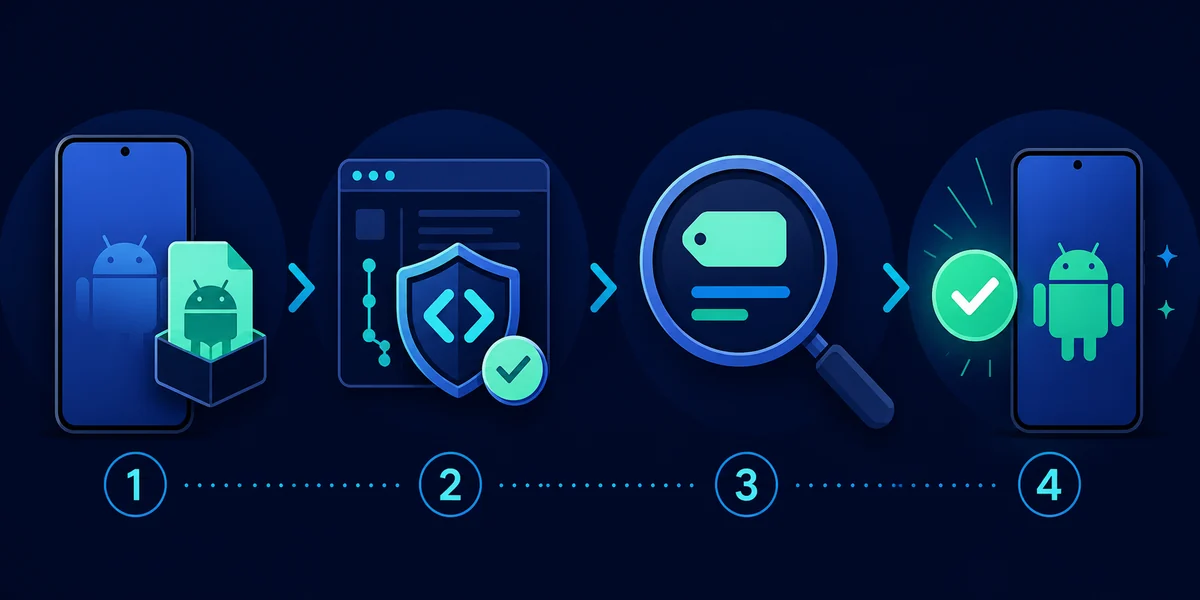
- Start at the project owner — Use the MetrolistGroup/Metrolist repository or its Releases tab. Do not treat a search result, mirror, or copied download button as the source of record.
- Open the exact tag — Select v13.6.3, v13.6.2, or another tag that matches the problem you are testing. Read the release date and notes before downloading.
- Match the asset — For a standard phone installation, look for the normal Metrolist APK asset. Cast, Izzy, source archives, and workflow artifacts have different purposes.
- Review the device boundary — Check Android compatibility, available storage, CPU architecture, and whether the existing package can be updated in place.
- Keep the page bookmark — GitHub may redirect an asset request to a temporary signed URL. Save the release page, not a long redirect with an expiry query string.
Stop at an EXE, IPA, or modified premium claim.
How to Roll Back Metrolist Safely
A rollback is a controlled troubleshooting experiment. It can help when a new release introduces a reproducible regression, when a device cannot handle a changed dependency, or when you need to compare behavior with a known working tag. Before changing versions, write down the current tag, Android version, device model, account state, and exact failure; protect playlists, settings notes, and local or offline data; and keep the current stable release as your return point.
- Record the baseline — Note the installed version, device, Android release, network, account status, and a short reproduction of the problem.
- Protect local data — Export or document playlists and settings that matter. Do not clear app data or uninstall as the first troubleshooting action.
- Download from the tag — Open the official historical release page and compare the tag, asset name, file type, and any architecture notes before opening the file.
- Install conservatively — Try an in-place update only when Android accepts the package identity. If the signature conflicts, stop rather than forcing a replacement.
- Test one workflow — Check launch, a known song, background playback, a playlist, lyrics, and downloads. Change one variable at a time so the result is useful.
Keep a return path
If the old build fixes one issue but creates another, return to the latest stable tag and use the official issue tracker with your version and reproduction details.
Which Historical MetroList Build Should You Try?
Start with the smallest version change that can answer your question. If v13.7.0 fails after an update, v13.6.3 is a reasonable comparison because it is the immediately preceding stable tag. If a report names v13.6.2, use that exact tag instead of guessing. Do not choose an old APK because a mirror calls it premium, unlocked, faster, or virus-free; use the official asset list and record the file name and size shown there.
| Choice | Use it for | Avoid it when |
|---|---|---|
| Latest stable v13.7.0 | A clean baseline and normal daily use | You are testing whether a regression began after the update |
| Previous stable v13.6.3 | A controlled comparison with the last stable line | You need a feature or fix introduced later |
| Older named stable tag | Reproducing a documented issue or preserving a known setup | You cannot verify the exact tag and asset |
| Nightly | Testing an unreleased fix away from a primary setup | You need a predictable rollback or a stable daily player |
Old APK Download Versus Downloaded Songs
The word download describes two different tasks on a MetroList site. An old version download means obtaining an Android installer from a release page. A song download or offline save happens inside the app and depends on app behavior, account state, storage, network, and service availability. Rolling back the app does not automatically restore every cached track, so verify the APK first and then test the in-app library separately.
- Historical APK — The installable Android application package tied to a project release tag.
- Offline song data — Cached or saved in-app content that may be tied to local data, storage, account state, or the current service.
- Release page — The durable source for the tag and asset list, even when GitHub redirects the binary request.
Metrolist Old Version Troubleshooting
Rollback problems usually come from a mismatch between the selected tag and the device, an incomplete file, a different signing identity, or data that the newer build migrated in a way the old build cannot read. Return to the evidence chain instead of downloading a second mirror: compare the tag, filename, extension, architecture notes, and installer message, then test phone playback before Android Auto, lyrics, queues, or downloads.
- Android says app not installed — Check storage, Android compatibility, package identity, and whether a differently signed build is already installed. Do not force a replacement before protecting data.
- APK cannot be parsed — The download may be incomplete, incompatible, or not the expected APK. Download again from the exact release page and compare the asset details.
- The old build loses data — Stop destructive cleanup, check backups and account sync, and return to the current stable package if the data is more important than the experiment.
- A mirror claims premium features — Treat the claim as a warning. Use the official repository and release assets; this guide does not verify modified or unofficial packages.
Metrolist Old Versions FAQ
Official Sources Checked
- MetroList official release history — Stable tags, Nightly channel, release dates, notes, and asset lists.
- MetroList source repository — Project identity and first-party source context.
- GitHub releases API response — The October 12, 2026 freshness check used for the version table.
Verified October 12, 2026