MetroList App: What It Is, Who It Fits, and How to Download Safely
MetroList is an open-source Android music app built around YouTube Music access, offline caching, background playback, and ad-free listening. This guide explains the app without mixing it up with fake mod APK pages or unrelated desktop installers.

In this guide
What Is the MetroList App?
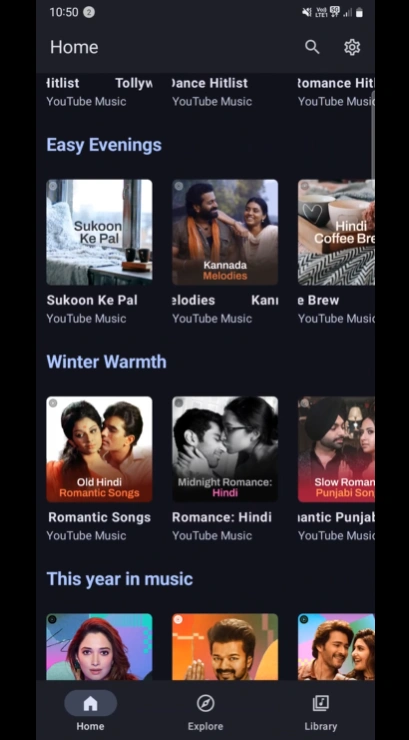
MetroList is a third-party Android music app that works as an alternative client for YouTube Music-style streaming. It is best understood as an open-source music player interface, not as an official Google or YouTube product. People search for MetroList app when they want to know whether the project is a real music app, where the APK comes from, and whether it is different from the many cloned download pages that use similar names.
The main appeal is practical: MetroList focuses on ad-free listening, background playback, offline cache, playlist control, Android Auto support, lyrics, and a smaller Android package than many mainstream music apps. Those features are useful for users who want a lighter music app and are comfortable installing APK files outside the Play Store.
The important boundary is that MetroList is still an Android APK. There is no official native iPhone, Windows, or macOS MetroList app at the time of this check. Desktop use normally means installing the Android APK inside an emulator, and iOS claims should be treated as suspicious unless the official project changes its release model.
Best short definition
MetroList is a free open-source Android music app, not an official YouTube Music app and not a native desktop installer.
Latest MetroList App Version Checked
Because this is a download-intent site, the version check comes before installation advice. The official first-party source checked for this guide is the MetrolistGroup/Metrolist GitHub release feed.
| Check | Verified detail | What it means |
|---|---|---|
| Verified source | GitHub: MetrolistGroup/Metrolist releases | First-party release reference. |
| Latest release checked | v13.6.0 / 13.6.0 | Checked on July 10, 2026. |
| Release date | June 21, 2026 | Published in the official GitHub release entry. |
| Standard APK asset | Metrolist.apk, 25,195,042 bytes | About 24.0 MiB; some file managers show about 25.2 MB. |
| Google Cast build | Metrolist-with-Google-Cast.apk, 26,839,674 bytes | Use only if you need that variant. |
| Platform | Android 8.0 and up | MetroList is distributed as Android APK assets. |
What the MetroList Music App Does Well
The MetroList app is not just a download keyword. Its value comes from how it changes the everyday music-listening workflow compared with heavier official clients or subscription-first services.
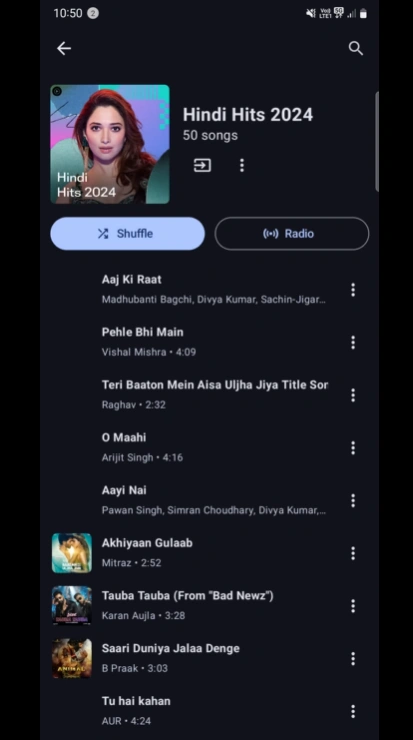
- Ad-free listening - MetroList removes the ad-heavy feel that pushes many users away from free music apps, though users should still respect YouTube and local content rules.
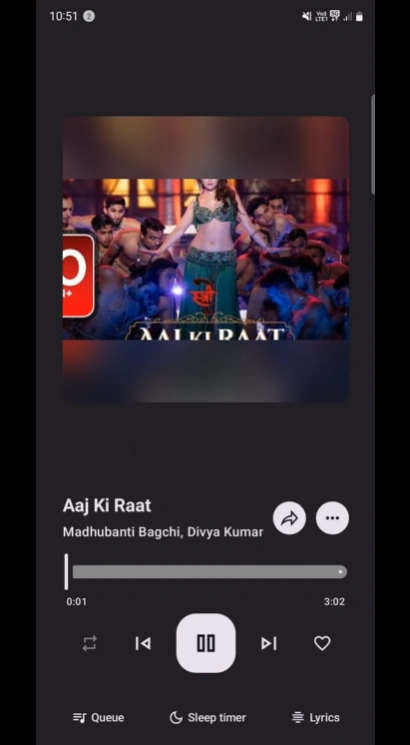
- Background playback - Music can continue while the screen is off or while another app is open, which is one of the most common reasons people look for a YouTube Music alternative.
- Offline cache - The app supports saving music for offline playback. Treat this as an app cache feature, not as a promise that every track will always be available forever.
- Playlist control - MetroList supports normal music library habits such as playlists, queues, history, and imports, making it more useful than a simple downloader page.
- Android Auto support - Users who listen in the car can use the Android Auto workflow when their phone, car, and Android Auto settings allow third-party media apps.
- Open-source transparency - The public repository lets technical users inspect development activity, releases, issues, and source code before deciding whether to install.
Who Should Use the MetroList App?
MetroList fits users who understand that APK installation adds responsibility. If you only install apps from Google Play and do not want to manage updates manually, the official YouTube Music app may be easier. If you already verify APK releases and want more control over playback, MetroList can be a practical option.
It is also useful for people comparing apps like MetroList, NewPipe, InnerTune, RiMusic, Spotube, and the official YouTube Music app. MetroList is strongest when the goal is a dedicated Android music client rather than a general YouTube video client or a Spotify-only wrapper.
| User need | MetroList fit | Better next step |
|---|---|---|
| Ad-free YouTube Music-style listening | Strong fit | Read the download checks and install from the official release. |
| Native Windows or macOS app | Not a direct fit | Use the PC or Mac emulator guide instead of EXE installers. |
| iPhone or iPad installation | Not a fit today | Avoid APK-to-IPA claims and read the iOS availability guide. |
| Maximum safety with no sideloading | Mixed fit | Use Play Store apps or verify GitHub carefully before installing. |
| Comparing alternatives | Useful reference | Use the alternatives guide for app-by-app tradeoffs. |
How to Download the MetroList App Safely
The safest download path is simple: start from the official GitHub release page, choose the APK asset that matches your need, and avoid pages that rename MetroList as a premium mod, Windows installer, or iOS profile. A mirror can be convenient, but it should not be your only evidence.
This site does not need to claim every mirror is safe. A better workflow is to compare version, file name, release date, and source link. If a page hides the source, asks for a survey, offers an EXE file, or promises an impossible iOS APK conversion, close it.
- Open the official release source - Use MetrolistGroup/Metrolist releases as the first check, then compare any mirror against it.
- Check the asset name - For most users, the standard Metrolist.apk is the simplest starting point.
- Compare date and size - For v13.6.0, the standard APK is 25,195,042 bytes and was published on June 21, 2026.
- Install only APK files - Avoid ZIP surveys, browser extensions, configuration profiles, and Windows EXE files claiming to be MetroList.
- Keep update responsibility - Because MetroList is not a Play Store auto-update flow, recheck the release page before reinstalling or troubleshooting.
Limits and Cautions Before Installing
MetroList is open source, but open source does not make every APK copy safe. The official repository is the strongest verification point; random forks, repackaged APKs, and modded builds need separate trust. If you cannot trace a file back to the release feed, do not describe it as official.
Feature availability can also vary by region, Android version, account state, and YouTube-side changes. If playback stops, search fails, or offline cache behaves differently after an update, start with the troubleshooting guide instead of repeatedly installing unknown APK files.
Finally, remember that MetroList is independent from YouTube and Google. It may use public or unofficial access patterns that can change. Use the app with realistic expectations, keep backups of important playlists, and do not rely on a third-party APK as the only copy of your music organization.
MetroList App FAQ
Official resources to verify
- Official MetroList GitHub repository - Project source, issues, and development activity.
- Official MetroList GitHub releases - First-party release history and APK asset list.
- GitHub documentation on releases - Explains how GitHub project releases and attached assets work.
Updated July 2026