MetroList for iPhone: What iOS Users Should Know
MetroList is built for Android, so iPhone users cannot install the MetroList APK directly. This guide explains the safe answer, what to avoid, and how to move your music workflow without trusting fake iOS downloads.

In this guide
Can You Install MetroList on iPhone?
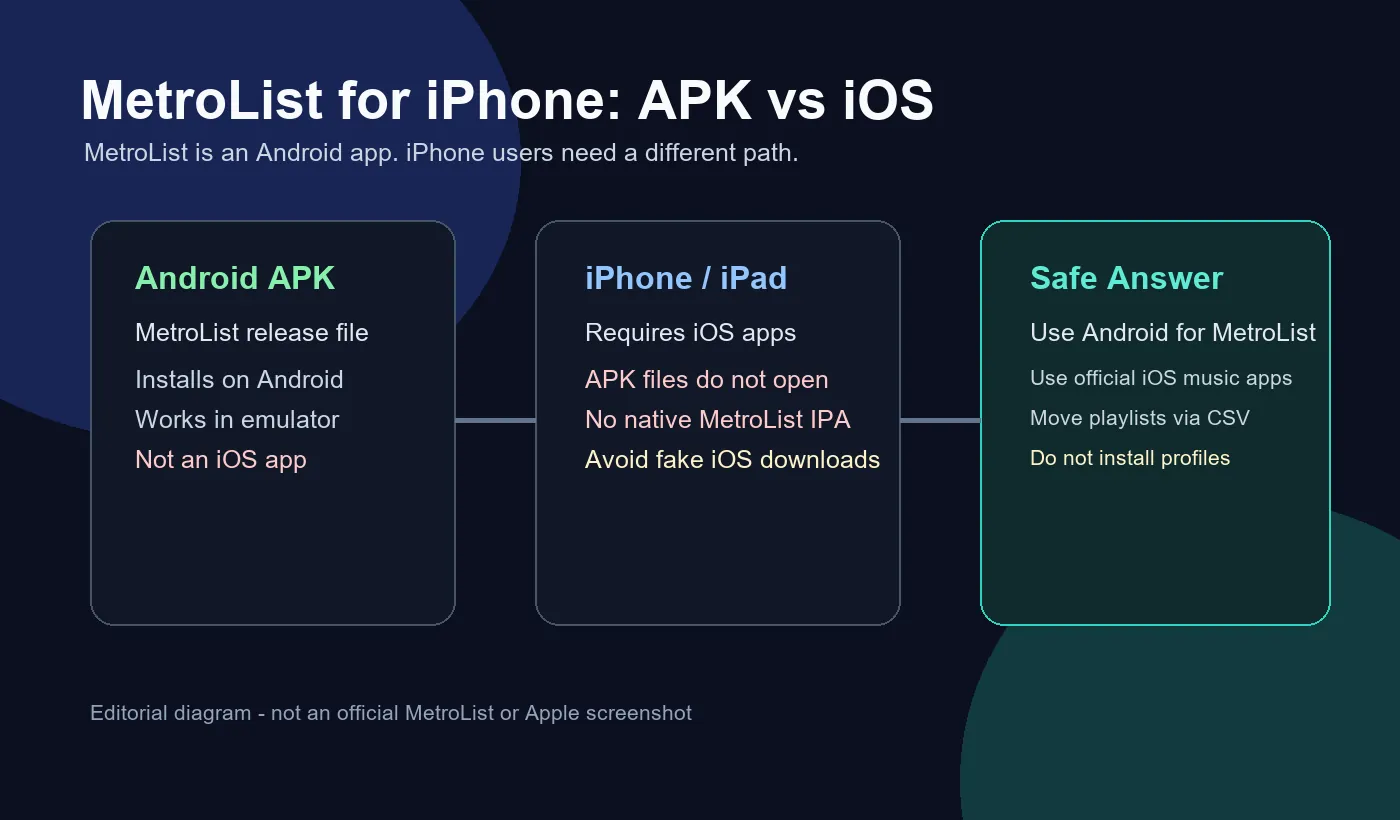
Not in the same way you install MetroList on Android. MetroList is distributed as an Android APK, and an APK cannot be opened by iOS as a regular app package. iPhones and iPads do not treat APK files as installable software, so tapping a MetroList APK in Safari, Files, or a messaging app will not produce a normal install flow.
The safest answer for most users is simple: use MetroList on an Android device, Android TV, or a Windows PC through an Android emulator. For your iPhone, use a music app that is actually distributed for iOS through the App Store, TestFlight, or another trusted Apple-supported path.
This does not mean every search result for MetroList iPhone is useful. Many pages use iOS, IPA, premium, unlocker, or no ads wording to attract users who want a shortcut. Those pages often ask you to install configuration profiles, complete offers, disable security checks, or download unrelated files. None of those steps are required for a normal MetroList APK.
Best practical answer
MetroList APK is for Android. Do not install random iPhone profiles or IPA files just because they mention MetroList. Check the official MetroList GitHub project before trusting any iOS claim.
Why MetroList APK Does Not Work on iOS
Android and iOS package apps differently. MetroList APK contains Android application code, Android resources, and Android permissions. iOS expects apps that are built, signed, and distributed for Apple's platform. Those systems are not interchangeable, so changing a file name from APK to IPA does not make the app compatible with iPhone.
A real iOS version would need to be developed for iOS, signed with an appropriate Apple developer process, and distributed through a legitimate channel. It would also need to handle iOS media permissions, background audio behavior, account storage, and app review rules. A download page cannot solve those platform differences by wrapping the Android APK.
Some users ask whether sideloading can bypass the problem. Sideloading can only install an app that was built for iOS in the first place. It cannot convert an Android APK into a native iPhone app. If a site claims one click will convert MetroList APK into an iPhone app, that is a warning sign.
MetroList iOS Compatibility at a Glance
Use this table to separate realistic options from risky claims before downloading anything.
| Question | Answer | What to do |
|---|---|---|
| Can iPhone install MetroList APK? | No. APK files are Android packages. | Use an Android device or emulator for MetroList. |
| Is there an official MetroList IPA? | No official iOS build is normally listed for the Android APK release path. | Check the official GitHub project before trusting any IPA page. |
| Can a profile unlock MetroList for iOS? | A profile cannot convert Android code into an iOS app. | Avoid configuration profiles from unknown sites. |
| Can playlists move from iPhone to MetroList? | Sometimes, if you can export playlist data or rebuild lists manually. | Use CSV, public playlist links, or the MetroList playlist import guide where applicable. |
| Can MetroList run on a Mac? | Only through an Android environment, not as an iPhone app. | Read the PC/emulator guidance and apply the same safety logic. |
Safe Options for iPhone Users Who Wanted MetroList
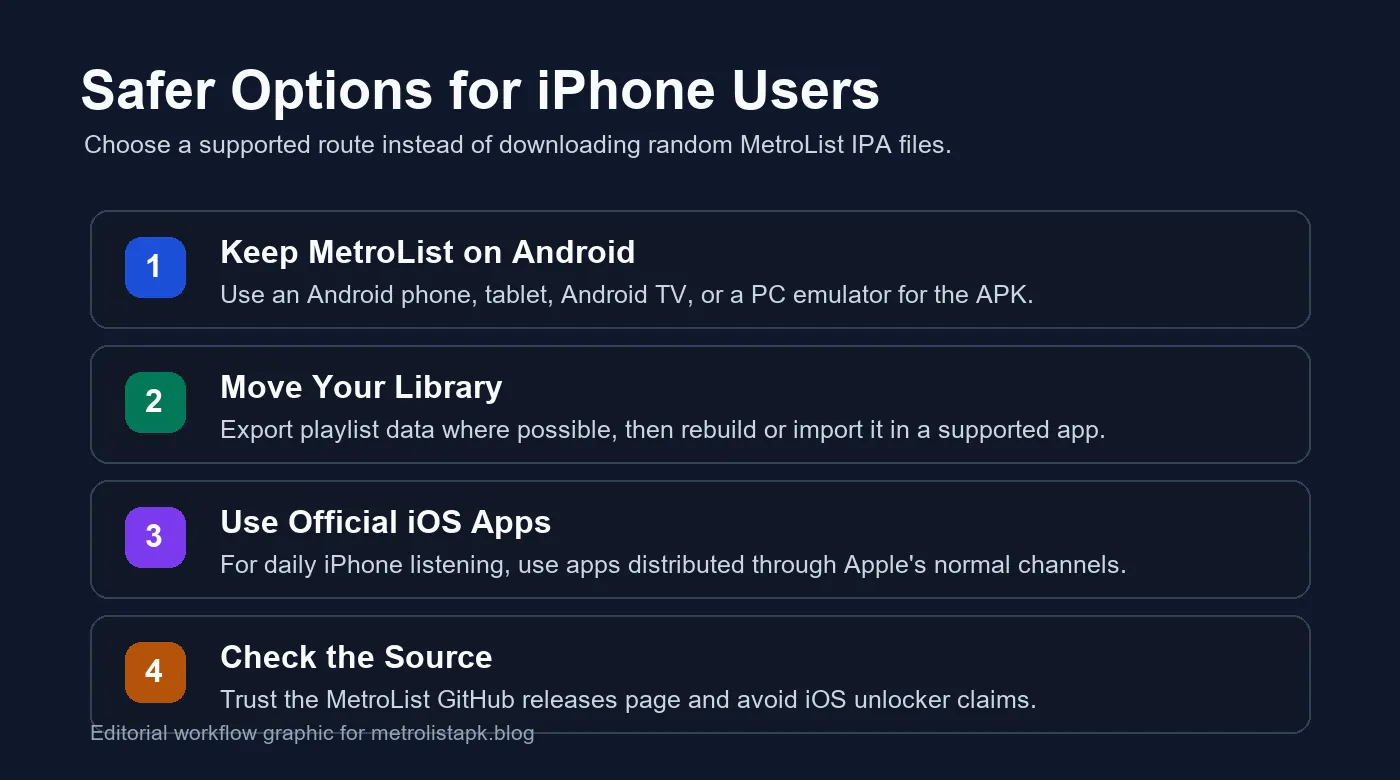
If you searched for MetroList for iPhone because you want ad-free listening, offline playback, or a YouTube Music style library, choose a supported path instead of trusting a random iOS installer.
Use MetroList on Android and keep iPhone for daily apps
The cleanest setup is to install MetroList on an Android phone, tablet, Android TV box, or a PC emulator. That keeps MetroList in the environment it was built for and avoids forcing your iPhone through unsupported installation steps.
Use official iOS music apps on your iPhone
For your main iPhone listening, use apps distributed through Apple's normal channels. They can handle iOS notifications, background audio, CarPlay, storage permissions, and updates more predictably than an unknown sideloaded package.
Move playlist data instead of chasing an iOS APK
If your real goal is keeping a library in sync, focus on playlist export and import. Public playlist links, CSV exports, and manual rebuilds are less risky than installing an unverified MetroList IPA. The existing Spotify playlist import guide explains the CSV-style thinking.
Check the official project before any download
The official MetroList GitHub repository and releases page are the best places to verify project direction. If a third-party page promises an iPhone version that the official project does not mention, do not treat it as official.
How to Move Your Music Workflow Between iPhone and MetroList
Because MetroList and iOS do not share a simple app package, think about your workflow in terms of playlists, saved tracks, and listening locations. Most users do not need the exact same app on every device; they need access to the same music choices.
Start with the music library you care about most. If it is a Spotify playlist, YouTube Music playlist, or manually curated list, look for an export route that gives you track names, artist names, album names, or public URLs. Then rebuild or import those lists into the environment where MetroList runs.
Do a small test first. Move one playlist with 10 to 20 songs before migrating a large library. This helps you catch missing tracks, regional availability differences, duplicate names, and metadata mismatches without wasting hours.
- Keep a source list - Save the original playlist link or CSV so you can retry if an import fails.
- Use exact artist and track names - Better metadata makes it easier to match songs across music services.
- Separate local files from streaming tracks - MetroList-style streaming workflows may not handle local iPhone files the way iOS apps do.
- Review privacy before syncing - Do not sign into accounts or paste private playlist data into unfamiliar converter sites.
MetroList iOS Download Warnings
Avoid pages that ask you to install a configuration profile, complete a survey, disable security features, or download a file that is not linked from the official MetroList project. Those signals are especially suspicious when the page also promises premium, unlocked, modded, or no verification iPhone access.
Do not trust a file only because it uses the MetroList name or logo. A fake package can copy a brand name while containing unrelated code. If you are unsure, compare the claim with the official GitHub repository, the release history, and the file type being offered.
The safest habit is to treat MetroList as an Android APK unless the official project announces something else. That keeps your phone, Apple ID, music accounts, and payment information away from unverified iOS download funnels.
The official release stream still lists Android APK assets, including v13.6.0 on GitHub. That supports the same answer: iPhone users should not trust APK-to-IPA conversion pages or profile installers that claim to unlock MetroList for iOS.
MetroList for iPhone FAQ
Useful official resources
- MetroList GitHub repository - Official project source and issue context.
- MetroList GitHub releases - Best place to verify official release file types.
- Apple App Store distribution guidance - Apple's official path for distributing iOS apps.
Updated July 2026