MetroList Offline Mode: What Works, What Fails, and How to Fix It
MetroList can download and cache music for offline use, but offline playback depends on what you saved, where the cache lives, and whether the app can still verify the source. This guide explains the practical setup without overselling it.

In this guide
Can MetroList Work Offline?
Yes, MetroList can help you listen when your connection is weak or unavailable, because the official project lists download and cache for offline use as a playback feature. In practice, the result depends on whether the track was saved correctly before you went offline and whether the app still has access to its local data.
The important expectation is this: offline mode is not the same as unrestricted file ownership. MetroList is a YouTube Music client, so streaming, search, account sync, fresh recommendations, and some library actions still need a working network connection. Offline listening is strongest for tracks and playlists you prepared in advance.
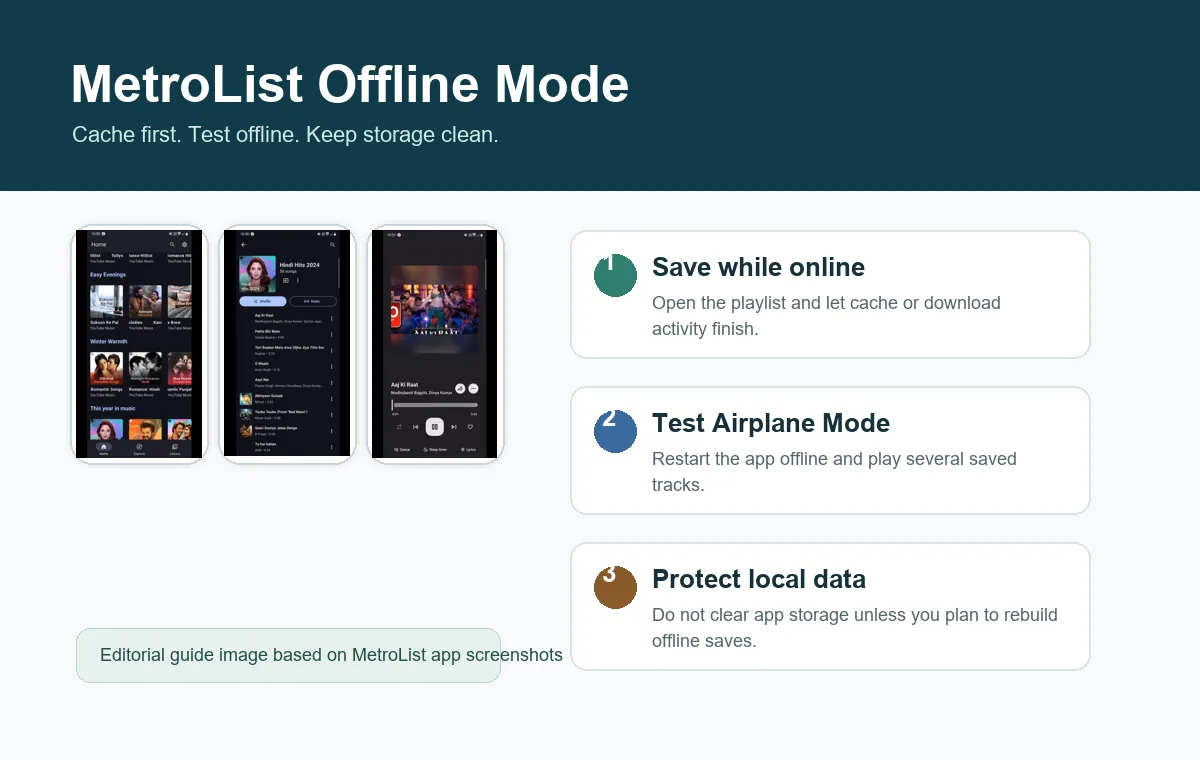
If you are installing MetroList APK mainly for flights, commuting, poor WiFi, or a spare Android phone used as a music player, test a small playlist first. Confirm that it plays after Airplane Mode is enabled, then expand your offline library gradually instead of caching hundreds of songs at once.
Best practical rule
Prepare offline music while online, do not clear MetroList app data, and keep a normal online fallback for any playlist that has not been fully cached.
What Usually Works in MetroList Offline Mode
Offline behavior can vary by version, device, storage policy, and source availability. Use this matrix as a realistic checklist rather than a guarantee.
| Action | Offline expectation | What to check first |
|---|---|---|
| Play a previously cached song | Usually works if the cache is still present | Open the song once while online and test it before travel. |
| Play a saved playlist | Works only for songs that have actually downloaded or cached | Look for missing tracks before leaving the network. |
| Search for new songs | Usually needs internet | Search and add songs while online. |
| Sync account library | Needs internet and account access | Let sync finish before relying on offline playback. |
| View lyrics or metadata | May be partial or stale offline | Open lyrics while online if they matter to you. |
How to Prepare MetroList for Offline Listening
The safest workflow is simple: install a trusted APK, cache a small playlist, test it offline, then scale up. That avoids confusing storage bugs with app bugs.
1. Install or update from a trusted source
Use this site download section or the official GitHub releases page. Avoid APK bundles that rename MetroList as a desktop installer, premium unlocker, or unrelated store package.
2. Sign in only if you need sync
MetroList can work as a music client without treating every session as an account task. Sign in when you need library sync, then let the first sync complete while connected.
3. Cache a small playlist first
Choose 10 to 20 songs that you can easily verify. Play or save them while online, then wait until download or cache activity finishes before closing the app.
4. Check storage and battery rules
Android can remove cached data when storage is low, and aggressive battery settings can stop background downloads. Keep free space and allow MetroList to run long enough to finish.
5. Test Airplane Mode before relying on it
Enable Airplane Mode, reopen MetroList, and play several cached songs. If only the first song works, the playlist is not fully prepared.
6. Keep your APK version current
On July 25, 2026, the GitHub releases page shows 13.6.1 as the latest release. Recheck before installing because versions can change.
Cache vs Downloads: Why the Difference Matters
People often use cache and download as if they mean the same thing, but the difference matters when troubleshooting. A cache is app-managed local data that helps replay content faster or without a live stream. A download is a more intentional offline save action inside the app experience. Both can disappear if you clear app storage or reinstall the APK.
Do not manage MetroList cached files from Android file manager unless you know exactly what you are deleting. If the app expects its own database to track saved songs, moving files manually can leave MetroList showing entries that no longer play.
For travel or low-signal use, treat the app as the control center. Save, remove, and test offline music inside MetroList whenever possible.
| Case | Better option | Reason |
|---|---|---|
| Short commute with weak data | Cache recent playlists | Fast setup and less storage pressure. |
| Flight or long trip | Prepare a dedicated offline playlist | Easier to verify every song before leaving. |
| Low storage phone | Keep a small rotating cache | Prevents Android from purging data unexpectedly. |
| After reinstalling MetroList | Rebuild offline saves | Local cache rarely survives a clean reinstall. |
MetroList Offline Playback Troubleshooting
If MetroList downloads are not working or cached songs stop playing, check the boring causes first. They fix more problems than reinstalling random APK copies.
Cached songs disappeared
Check Android storage cleanup, cleaner apps, and whether you cleared MetroList data. Cache is local app data, so cleanup tools can remove it.
A playlist opens but skips tracks
Only part of the playlist may have cached. Go online, open the playlist, and let every needed song finish preparing.
Songs play online but not offline
The track may not have a complete offline copy, or the app may still need metadata. Test another track and rebuild the offline playlist.
Download progress never finishes
Disable battery restriction for MetroList temporarily, keep the app open, and use stable WiFi. Also confirm enough storage is available.
Playback breaks after an update
Check the official release notes for playback fixes, then install the current APK over the old one from the same trusted source.
Offline fails on PC emulator
Emulators store app data inside a virtual disk. Use the in-app controls and make sure the emulator has enough allocated storage.
Limits and Safety Notes Before You Rely on Offline Mode
Offline mode is useful, but it should not be treated as permanent archiving. MetroList is a client for music playback, not a universal downloader that turns every stream into a portable file library. Respect source availability, local laws, platform terms, and artist rights in your region.
The safest user habit is to keep your important music in more than one legitimate place. If a track matters for work, travel, or an event, verify it in MetroList and keep a fallback option before the connection disappears.
- Regional availability - If YouTube Music is unavailable in your region, MetroList may also fail without a supported network route.
- Account sync - Synced library changes need connectivity and may not appear immediately offline.
- Storage cleanup - Android, emulator tools, and cleaner apps can remove cached data.
- Unofficial APK risk - Modified APKs can break cache behavior or add unsafe code. Use trusted releases.
Safe Update Path for Offline Playback Fixes
If offline playback is unreliable, do not jump straight to a random modded APK. First check whether your current version is old, whether the issue is mentioned in the official GitHub releases, and whether your Android storage settings are causing the failure.
When you update, install the new APK over the existing app so your library and settings have the best chance of staying intact. Before a major update, test one playlist online and offline again. If you use an emulator or a phone with low storage, export or note your important playlist setup before clearing data.
For more source verification, read the MetroList GitHub guide on this site and compare the repository, release tag, APK asset name, and publish date before installing.
MetroList Offline Mode FAQ
Official resources to verify
- MetroList GitHub repository - Official source and README showing playback features, including download and cache for offline use.
- MetroList GitHub releases - Official release history for checking current APK versions and playback fixes.
- Android storage help - Google help for freeing storage and understanding app data cleanup on Android.
Updated June 2026