MetroList vs YouTube Music: Which Music App Fits You?
MetroList offers an open-source, ad-free Android client with more control. YouTube Music offers official distribution, broader device support, and a paid service designed for predictable account sync. This guide compares the real trade-offs without calling either option universally better.

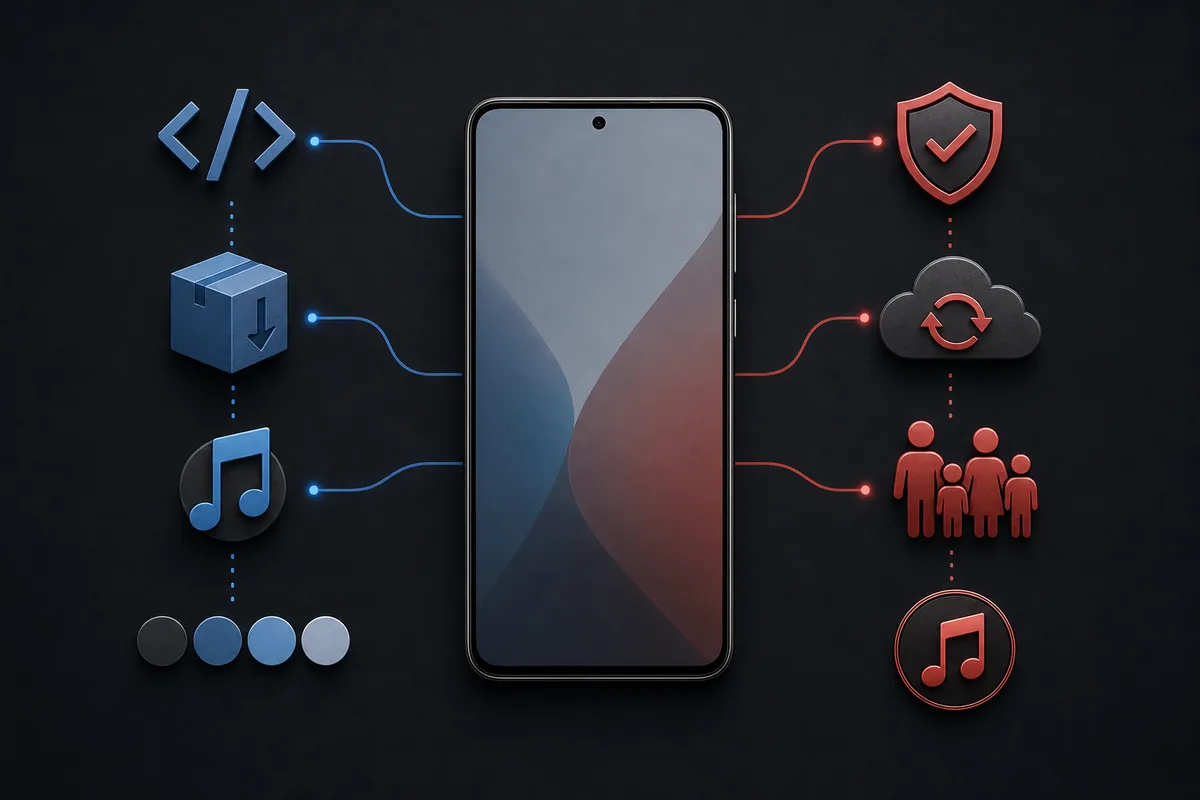
In this comparison
MetroList vs YouTube Music: the short answer
MetroList and YouTube Music can surface much of the same music catalog, but they are different products. YouTube Music is Google's official streaming service and is built around a Google account, official apps, web playback, subscriptions, licensing, and supported device ecosystems. MetroList is a community-developed Android client that connects to YouTube Music-style content while offering a lighter Material interface, background playback, offline caching, lyrics, playlist tools, and customization without an in-app subscription wall.
That difference changes who carries the risk. With YouTube Music, Google manages the app update channel, billing, broad device compatibility, and service support. With MetroList, you decide where the APK comes from, when to update it, which permissions to grant, and how to respond if a YouTube-side change temporarily breaks playback. Open source makes MetroList inspectable, but it does not make every third-party download page safe or guarantee uninterrupted service.
Best choice by priority
MetroList wins on Android control, open-source transparency, customization, and cost. YouTube Music wins on official delivery, cross-platform reach, family plans, casting convenience, and predictable long-term support.
MetroList vs YouTube Music feature comparison
Use this table as a decision map, not a claim that every feature behaves identically in every country, account, device, or release.
| Decision factor | MetroList | YouTube Music |
|---|---|---|
| Distribution | Open-source Android APK from project release channels | Official Play Store, App Store, web, TV, and supported device apps |
| Price | No app subscription fee | Free tier varies; Premium is paid |
| Ads | No MetroList in-app advertising described by the project | Free experience may include ads; Premium removes them |
| Platforms | Android-focused; no official native iOS, Windows, or macOS app | Android, iOS, web, smart TVs, speakers, cars, and more |
| Offline | Download and cache features managed inside the app | Official offline downloads are a Premium feature |
| Background playback | Available in MetroList | Generally tied to Premium in the official service |
| Account | Can work with YouTube Music account features; manual APK trust remains your responsibility | First-party Google account integration |
| Source visibility | GPL-3.0 source code is public | Proprietary client and service |
| Updates | Manual release checks or a trusted updater | Automatic store updates |
| Support | Community repository, issues, and chat channels | Official Google help, billing, and product support |
| Reliability | Can be affected by upstream YouTube changes | Usually more predictable inside Google's supported ecosystem |
| Family use | No equivalent official family subscription administration | Family plan and supervised account options where offered |
The closest comparison is not simply free versus paid. MetroList exchanges official convenience for user control. YouTube Music exchanges some control and, for Premium features, a recurring fee for an official service path. The better value depends on whether you treat APK verification and occasional troubleshooting as acceptable work.
Regional availability also matters. The MetroList project warns that the app may not work where YouTube Music is unavailable. YouTube Music itself also varies by market. Check the official service availability and current plan details for your country rather than assuming a feature or price from another region applies to you.
Price, subscriptions, and what ad-free really means
MetroList does not charge an app subscription and its project page describes background playback, downloads, live lyrics, audio controls, and customization as app features. That can make it attractive to listeners who do not want another monthly bill. However, no subscription does not mean no cost at all: you spend time verifying releases, installing updates, maintaining cached music, and troubleshooting breakage. You also accept that a third-party client can lose access to a feature when an upstream service changes.
YouTube Music offers an official free experience in supported markets and paid Premium plans. Pricing, trials, student eligibility, and family rules change by country and over time, so this page does not freeze a price that may become inaccurate. The paid route is easier to budget when you value official offline downloads, background playback, cross-device continuity, and one support channel more than source-code access.
- Choose MetroList for cost control — You are comfortable with APK installation and prefer no app subscription.
- Choose YouTube Music for service convenience — You want store updates, billing support, official family options, and broad device coverage.
- Avoid modified APK claims — MetroList is already open source. A page advertising a mysterious premium mod adds risk rather than a necessary feature unlock.
Library, discovery, lyrics, and everyday use
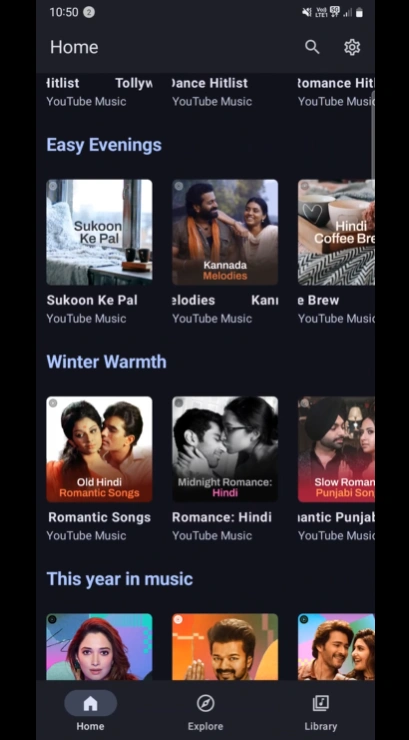
MetroList aims for a compact Android-first experience. Its official feature list includes personalized quick picks, search across songs, albums, artists, videos and playlists, live synchronized lyrics, AI-assisted lyrics translation, local playlists, library management, playlist import, account login, and queue control. It also exposes theme choices and audio controls that appeal to users who enjoy tuning an app rather than accepting one default interface.
YouTube Music is less about interface experimentation and more about service integration. It has the advantage when your listening moves among a browser at work, an iPhone, a smart TV, a speaker, a vehicle, and a family account. Recommendation quality is subjective, but the official service owns the account graph and can roll out features consistently across its supported apps. MetroList may show the same underlying account content while presenting it differently, yet it cannot promise parity with every official feature.
For playlist migration, do not assume a perfect one-click transfer. MetroList can import playlists and sync supported library data, but private playlists, duplicate tracks, region restrictions, deleted videos, and metadata differences can produce gaps. Test with one small playlist before moving a large library, and keep the original service library until you have verified the result.
Offline listening, downloads, and audio expectations
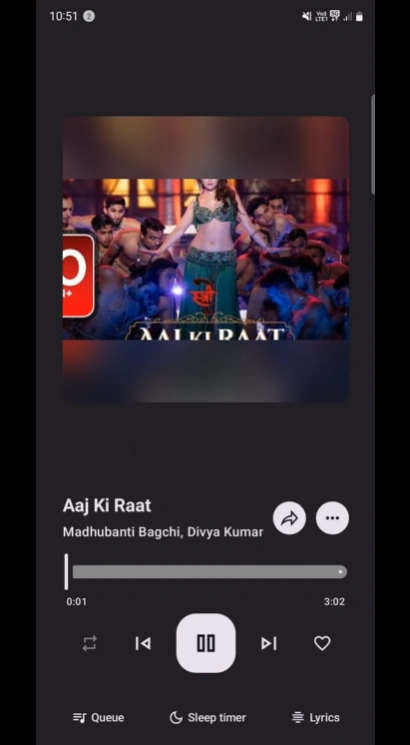
MetroList supports downloading and caching music for offline use, but cached media stays within the app's storage model and is not the same as receiving unrestricted audio files. Clearing app data, changing versions, losing account access, or an upstream validation change can affect what plays. Prepare offline playlists while connected, test them before travel, and keep enough storage free. The dedicated offline guide explains cache behavior and recovery steps in more detail.
YouTube Music Premium offers an official offline workflow with download management inside the official app. That route is more predictable for supported accounts, but downloads are still controlled offline copies, not purchased DRM-free files. Both apps depend on catalog availability and account or service rules. Neither comparison should be used to promise permanent ownership of streamed music.
Sound-quality claims require caution. MetroList includes audio normalization, equalizer controls, tempo and pitch adjustment, and skip-silence features, while YouTube Music exposes its own quality settings. Actual output depends on the source stream, codec, device, Bluetooth path, network, and settings. A third-party page claiming guaranteed lossless or a fixed 320 kbps for every MetroList track should not be treated as official evidence.
Accounts, privacy, open source, and download safety
Open source is MetroList's strongest trust advantage: the repository, license, issue history, and release assets can be inspected. The latest official GitHub API check on July 25, 2026 returned v13.6.1, published July 17, with a 24,113,697-byte standard Metrolist.apk. The direct button on this page uses that stable GitHub release asset. A public repository still cannot certify APKs downloaded from unrelated mirrors, Telegram posts, countdown pages, or files renamed as MetroList.
YouTube Music uses an official Google account and Google's privacy, security, and billing systems. That reduces APK-source uncertainty but places more activity inside a large proprietary account ecosystem. MetroList can also use account-linked features, so using an unofficial client does not automatically create anonymity. Review permissions, consider whether to use a separate account, and never enter credentials into a download website or modified installer.
MetroList's repository states that the project is not affiliated with or endorsed by YouTube or Google. This comparison therefore distinguishes project facts from official Google product guarantees. Do not interpret the MetroList name, a familiar YouTube Music catalog, or a copied Google-style logo on a third-party site as official approval.
- Verify the tag — Match the release tag, APK filename, publication date, and asset size on GitHub.
- Use the standard APK by default — Metrolist.apk is the normal build; the Google Cast build is a separate larger variant.
- Keep Play Protect enabled — Treat a security warning as a reason to stop and investigate, not as a button to dismiss automatically.
- Do not trust safety slogans — A mirror saying verified or virus-free is not a substitute for source and signature checks.
Reliability, updates, and platform support
YouTube Music normally wins reliability because the official client and service are maintained together. It also offers a browser player and native apps across more platforms. MetroList is Android-focused and the project is in maintenance mode while a Kotlin Multiplatform rewrite is being prepared. Maintenance mode does not mean the app is dead, but it does mean the current branch prioritizes bug fixes and smaller improvements rather than a guaranteed stream of major features.
Version 13.6.1 is a good example of why current release notes matter. The official notes describe improved playback recovery, fixes for black screens, startup crashes, freezes, login and backup restoration, Android Auto delays, sleep timer crashes, and library synchronization. If an older MetroList build fails, update from the official release before installing random mods or repeatedly clearing data. Keep a backup of important settings where the app supports it.
MetroList can be the better daily player for one Android phone, but YouTube Music is easier when the same account must work on a managed device, iPhone, browser, console, smart speaker, or family plan. There is no official MetroList web player, Windows installer, macOS app, or iOS build in the current stable release. Desktop guides generally mean an Android emulator, which adds memory, storage, and maintenance overhead.
Who should choose MetroList or YouTube Music?
Choose based on the responsibility you want, not only the feature checklist. Two users can value the same offline and background-playback features but prefer different maintenance models.
Choose MetroList
You mainly listen on Android, value open-source inspection and customization, want ad-free background listening without an app subscription, and can verify APK releases and troubleshoot occasional upstream breakage.
Choose YouTube Music
You want official store distribution, browser and multi-device access, automatic updates, family or supervised account options, straightforward casting, predictable billing, and official support.
Use both carefully
You can keep YouTube Music as the official library and cross-device fallback while testing MetroList as an Android client. Start with a small playlist and avoid destructive library changes until sync behavior is clear.
Choose neither for file ownership
If your priority is buying or managing unrestricted local audio files, compare services and players built specifically around owned music rather than treating streaming caches as permanent files.
Before switching: a practical checklist
A careful test is better than moving everything on the first day. This checklist reduces account, playlist, and offline surprises.
- Confirm YouTube Music is available in your region and that your Chromebook, phone, car, or other target device supports the workflow you expect.
- Download MetroList only from the official GitHub release or another source linked by the project; compare version 13.6.1, filename, date, and size.
- Install the standard Metrolist.apk unless you specifically need the separate Google Cast build.
- Test playback, search, login, lyrics, one small playlist, one offline album, Bluetooth, and Android Auto before relying on the app for a trip.
- Keep your YouTube Music library and subscription unchanged until you know which MetroList account and playlist actions synchronize back to the service.
- Save app settings or backup data before major version changes, and never download an EXE or iOS profile presented as an official MetroList release.
MetroList vs YouTube Music FAQ
Official sources checked
- Metrolist GitHub repository — Project scope, maintenance status, features, license, and official download channels.
- Metrolist v13.6.1 release — Release date, maintenance fixes, stable APK assets, and file sizes.
- YouTube Music help — Official account, subscription, download, playback, and device guidance.
- YouTube paid membership availability — Official reminder that memberships and features vary by location.
Related MetroList guides
Verified July 25, 2026: official GitHub release v13.6.1, standard APK 24,113,697 bytes.